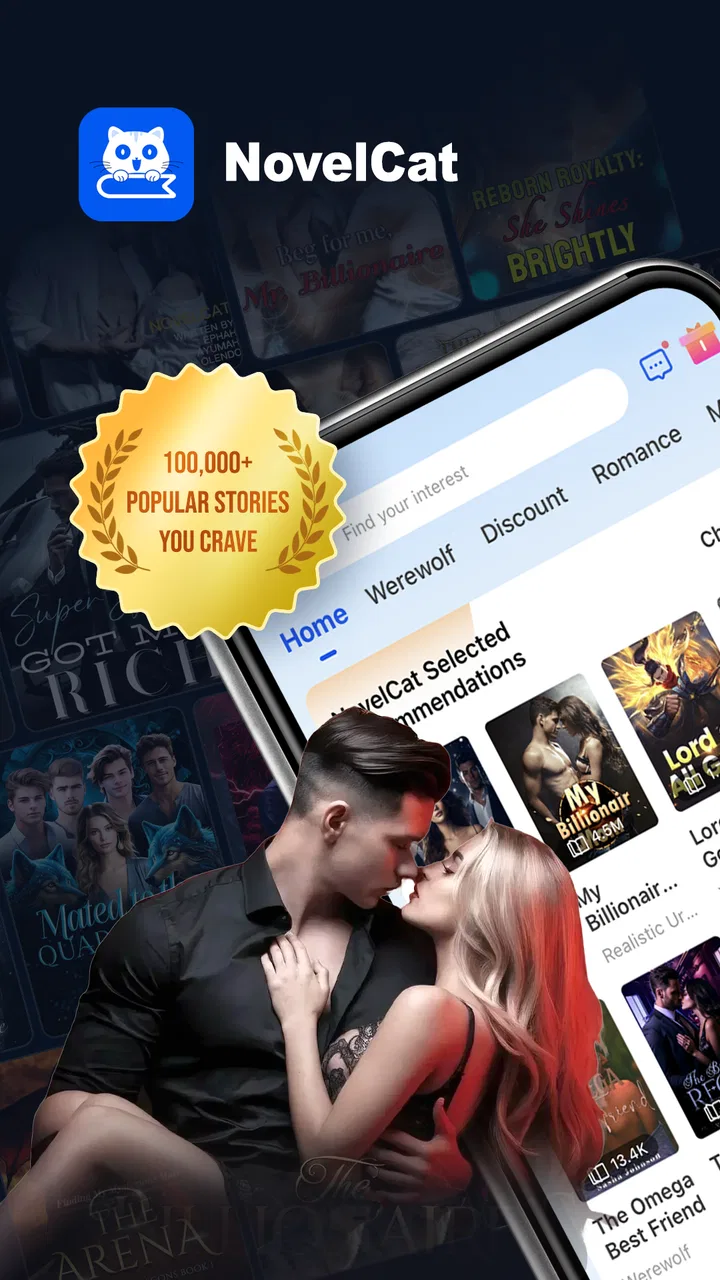
NovelCat - Reading & Writing
- 4.7
- Rating
- 5.00M
- Installs
- Free
- Price

 Analysis by App-foxy
I spent time with NovelCat - Reading & Writing as a mobile reading app, and my first impression was that it is built for people who want a steady stream of web fiction rather than a single book-buying destination. It sits in the Books & Reference category, comes from Reader Maker, and offers a large selection of popular online novels alongside exclusive originals. That combination makes it feel more like a continuing reading habit than a digital shelf you visit only when you already know what you want.
The app is free to install, which makes trying it uncomplicated, but the reading experience is connected to in-app purchases ranging from $0.99 to $69.99 per item. That matters because the real question is not simply whether you can open NovelCat without paying. It is whether the way a particular story is released suits your reading budget and patience. I found it most appealing when I treated it as a discovery tool and kept track of which stories deserved my attention, rather than opening every promising title at once.
How NovelCat feels during ordinary reading
I judge NovelCat’s everyday reading experience less by how many stories it offers than by how easily I can settle into one. In this section, I’ll focus on the small choices that make a short reading break feel satisfying rather than turning into another round of browsing. A little intention before opening the app can make a real difference, especially when serialized fiction keeps inviting you onward.
You May Also Like

 Blood Strike: 2.5 Anniversary
Blood Strike’s Loadouts Turn Every Drop Into a Tactical Gamble
A close look at Blood Strike’s custom loadouts: how fast access to signature weapons reshapes its battle royale rhythm, rewards preparation, and narrows the gap between fights.

 Pandora - Music & Podcasts
Pandora’s Music Is Easy to Start, but Harder to Recover
Pandora’s strength is its low-effort path from a seed to a station. Its weak spot is how much confidence it asks you to place in connection, setup, and quiet recovery.

 8 Ball Pool
 Is Built on Rivalries, Rematches, and Routine
A close look at the rivalries, rematches, shared routines, and unanswered safety questions that turn a quick pool match into a persistent mobile community.

 Samsung Music
’s Quiet Strength Is Playing What You Already Own
Its reach comes less from spectacle than from dependable access to a personal library. That simplicity is both the app’s strongest retention engine and its ceiling.

 AccuWeather: Weather Radar
AccuWeather Review: A Quick, Clear Forecast for Everyday Decisions
For everyday plans, the best forecast is the one you can understand quickly. AccuWeather makes rain timing, radar, and local conditions easy to act on, with a few trade-offs.

 Hill Climb Racing
Why Hill Climb Racing Still Turns Crashes Into One More Run
A tiny car, a bumpy hill and one more upgrade: Hill Climb Racing keeps resurfacing because its simple chaos makes every near-miss feel personal.
More From Our News Desk



Speed expectations when opening stories and moving through chapters
NovelCat is designed around quick, repeated reading sessions. I used it in the way many people will: opening the app, returning to a familiar story, reading a few pages, and leaving again. That kind of routine benefits from a simple mental model. You are not browsing a traditional library with carefully arranged editions; you are moving through an active catalog of serialized web novels, where the next chapter is usually more important than the cover on the previous screen.
The app’s value depends heavily on how quickly you can get from discovery to reading. I would not choose it for a slow, deliberate search for a specific classic or academic reference. It makes more sense when you want romance, fantasy, drama, or other ongoing fiction and are willing to sample several opening chapters before committing to one. The large catalog helps with that, but it also means the first few minutes can become a browsing session instead of a reading session.
One useful habit is to judge a novel by its reading rhythm, not only by its premise. Web fiction often relies on frequent chapter endings and continuing tension. I found it easier to decide whether a title suited me after reading enough to notice the author’s pacing, rather than assuming that a dramatic description guaranteed a satisfying story. This is a small but important distinction: NovelCat gives you plenty to explore, while the responsibility for filtering that choice remains with you.
For short breaks, the app is a natural fit. I could read while waiting for an appointment or during a commute without needing to plan a full evening around a book. For longer sessions, the experience depends more on whether the current novel maintains its quality. A large catalog is useful only when you are comfortable abandoning a weak story and starting another one.
What happens during heavy-use reading sessions
The demanding part of using NovelCat is not a single chapter. It is the repeated cycle of browsing, opening stories, moving through many chapters, and returning later to continue. That pattern can make any serialized reading app feel busier than a basic e-reader, because the catalog and the reading screen serve different purposes. I recommend separating those activities mentally: choose a small group of stories first, then spend your actual reading time inside one title instead of repeatedly jumping back to discovery.
That approach also helps with in-app purchase decisions. When a story becomes interesting, the temptation is to continue immediately, especially if the next part is presented as the natural continuation of the chapter you just finished. I prefer to pause and decide whether I am enjoying the writing itself or simply reacting to a cliffhanger. Since individual purchases can reach $69.99, a little restraint is more practical than treating every promising novel as an automatic commitment.
NovelCat is particularly suitable for readers who enjoy ongoing fiction and do not mind waiting for a story to unfold. It is less suitable for someone who wants a complete novel with a clearly defined one-time cost. In that situation, an ordinary e-book store or a subscription reading service may offer a more predictable experience. Those alternatives usually make it easier to understand what you are buying before you begin, while a web-novel app asks you to evaluate a story over time.
I also found that heavy use rewards a personal reading system. I would keep only a few active stories in rotation, finish a chapter before switching, and avoid opening new titles whenever I was already invested in one. This reduces decision fatigue and makes the catalog feel like a resource rather than an endless stream of distractions. It is one of the most useful ways to get more from the app without spending more.
Reliability and recovering your place
For a reading app, reliability is mostly about continuity. I want to return to a novel and know where I stopped, especially when I read in several small sessions rather than one long sitting. NovelCat works best when you treat your reading history as something worth checking before beginning a new title. If I had been away from the app, I would first reopen the story I was following instead of assuming that the most visible recommendation was the right next step.
That simple workflow is also helpful when a catalog contains multiple stories with similar themes or titles. A quick look at the last chapter read can prevent an easy mistake, particularly after browsing late at night or switching between several genres. I would not rely on memory alone if I were following many serialized novels at once.
The app has been available since November 20, 2019, and its current version is 5.2.3. Those details suggest an established product rather than a newly launched experiment, and the audience size supports that impression: it has passed five million installs, with a 4.7 average from around 35 thousand ratings. I see that as encouraging evidence of sustained interest, but not as a guarantee that every story or every session will suit every reader.
My main reliability concern is less about the existence of fiction and more about the continuity of the reading experience. Serialized content can change your expectations from chapter to chapter. A novel may begin strongly and then slow down, or a promising premise may not develop in the direction you hoped. That is not a technical failure, but it affects how dependable the app feels as a source of satisfying reading. I recommend keeping your expectations flexible and choosing several possible titles rather than depending on one story.
Another practical point is recovery after interruption. If you are reading in very short sessions, close the app after reaching a clear stopping point rather than in the middle of a page. That makes it easier to remember the scene and reduces the chance of reopening the app unsure whether you had already finished the chapter. It is a modest habit, but it matters more in serialized fiction than in a standalone book.
Device constraints and the kind of reader it suits
NovelCat supports devices running Android 7.0 or later, so it is not restricted to only the newest phones. That broad compatibility is useful for readers who keep an older device as a backup or prefer not to upgrade frequently. Still, compatibility alone does not determine comfort. A smaller screen, limited storage, or an aging battery can make long reading sessions less pleasant even when the app itself installs normally.
If you use an older phone, I would keep the experience focused: open the story you intend to read, avoid leaving many demanding apps active, and treat the catalog as something to browse in short bursts. This is not because NovelCat is confirmed to be unusually resource-heavy; rather, older devices naturally leave less room for any app that combines content discovery with extended reading. A simple reading routine gives the phone less work to juggle.
On a newer device, the bigger constraint is likely to be your attention. The abundance of novels can encourage constant switching, and the app is most enjoyable when you decide what you are looking for before opening it. If you want a quiet, distraction-free reading environment, a dedicated e-reader may be a better choice. NovelCat is more compelling when discovery and serialized entertainment are part of the experience.
The mature 17+ content rating is another factor to consider before recommending it to a younger reader. Parents should not assume that a general Books & Reference label means every story is suitable for children. I would also avoid sharing the app casually with a child without checking whether its intended audience matches the family’s expectations. For adults, the rating is a clear reminder that the catalog is aimed at mature readers and may explore themes not found in children’s reading apps.
Where it beats ordinary alternatives, and where it does not
Compared with a standard e-book store, NovelCat offers a more continuous discovery experience. Traditional stores are often better when I know the exact author or title I want, want a finished book, and prefer a clear purchase decision. NovelCat is stronger when I want to browse web novels, test unfamiliar writers, and follow exclusive originals as an ongoing habit.
Compared with a library app, it also serves a different purpose. A library service is attractive when borrowing rules, established publishing, and predictable access matter most. NovelCat is better for readers who want the energy of online fiction and are comfortable evaluating stories while they are still part of a broader serialized ecosystem. Neither approach is automatically superior; they simply reward different expectations.
Compared with a general reading app that accepts files or connects to many formats, NovelCat is less about bringing your existing collection into one place. Its identity comes from the fiction available inside the service. If you already own a large collection of e-books and mainly need a clean reader for those files, another app will probably be more appropriate. If you want new web novels without preparing your own library, NovelCat has a clearer reason to exist.
The trade-off becomes most visible around spending. Free access lowers the barrier to exploration, but in-app purchases from $0.99 to $69.99 per item mean that enthusiastic reading can become expensive if you continue automatically. I would set a personal limit before getting deeply involved in a long story. That decision is especially important for readers who are easily pulled forward by cliffhangers or who prefer to read an entire novel in one weekend.
My performance verdict after using it as a daily reader
NovelCat - Reading & Writing is a good match for adults who enjoy web novels, frequent chapter-based reading, and discovering stories rather than selecting only finished books. Reader Maker has built an app with a clear purpose: keep fiction close at hand and make it easy to move from one online story to another. The strong average rating and more than five million installs show that this format has found a substantial audience.
I would recommend it to a friend who reads in short sessions, likes serialized drama, and can manage a catalog without feeling obliged to finish everything. I would not recommend it as the first choice for a child, for someone seeking academic reference material, or for a reader who wants a single predictable payment for a complete book. Those users may be happier with a library service, a conventional e-book store, or a focused e-reader.
My best advice is to start slowly. Explore a few stories, pay attention to the writing quality after the initial hook, and decide in advance how much you are comfortable spending on continued chapters. Keep your active reading list small, reopen the last story before browsing again, and use the app for the kind of short, regular sessions it handles naturally. The smartest way to use NovelCat is to control the catalog instead of letting the catalog control your reading time.
As a free Books & Reference app with mature content, ongoing web fiction, and exclusive originals, it has a convincing place in the mobile reading landscape. Its strengths are variety, accessibility, and the ease of finding something new. Its weaknesses are the potential for endless browsing and the need to think carefully about serialized purchases. For the right reader, those are manageable trade-offs, and I found the app worth keeping for casual fiction discovery rather than as a replacement for every other way I read.
FAQs for NovelCat - Reading & Writing
01What is NovelCat - Reading & Writing?
NovelCat - Reading & Writing is a mobile platform for discovering serialized novels and reading stories across genres such as romance, fantasy, mystery, and drama. The app also includes writing features, allowing users to create and publish their own chapters. During use, the experience is centered on a personalized library, ongoing updates, and stories designed for regular, episode-by-episode reading.
02Is NovelCat free to download and use?
NovelCat can generally be downloaded for free on Android and iOS, and users can access some stories or chapters without paying. However, the reading model may include locked chapters, virtual coins, advertisements, daily rewards, or optional purchases. Before starting a long novel, check its unlocking requirements and the current in-app pricing, since costs and availability can vary between titles and regions.
03Does NovelCat require an internet connection?
An internet connection is normally needed to browse the catalog, load new chapters, synchronize your reading progress, receive updates, and use account-related features. Some content may be available for temporary offline reading if the app provides a download or caching option, but offline access should not be assumed for every novel. It is best to open the story while connected before traveling or reading without data.
04Can users write and publish their own novels on NovelCat?
Yes, NovelCat is designed not only for readers but also for aspiring writers. Depending on the current version and regional availability, users can draft stories, organize chapters, and submit or publish their work through the platform. Writers should review the submission rules, content guidelines, rights information, and possible contract terms carefully before uploading a complete manuscript or agreeing to any exclusive publishing arrangement.
05Is NovelCat suitable for all ages?
NovelCat includes stories aimed at different audiences, and some titles may contain mature romance, violence, emotionally intense situations, or other themes that are unsuitable for children. The appropriate age can differ from one novel to another, so parents and younger users should examine descriptions, ratings, warnings, and platform settings before reading. The app should be treated as a broad fiction catalog rather than a children-only reading service.
Pros
- Large catalog of romance
- fantasy
- and other serialized stories.
- Personalized recommendations help readers discover new novels.
- Offline reading is available for downloaded chapters.
- Interactive comments let readers discuss chapters with the community.
- Writers can publish their own stories and build an audience.
Cons
- Many novels require coins or purchases to unlock later chapters.
- Free rewards may involve watching ads or completing daily tasks.
- Story quality and editing can vary significantly between authors.
- Some updates and new chapters may arrive irregularly.
- Account or cloud syncing may be needed to preserve reading progress.

NovelCat - Reading & Writing
Gallery